Account and Subscription
Your MapWise account, MapWise Pro, App Store subscriptions, restoring a purchase, and deleting your account, all from the Account tab.
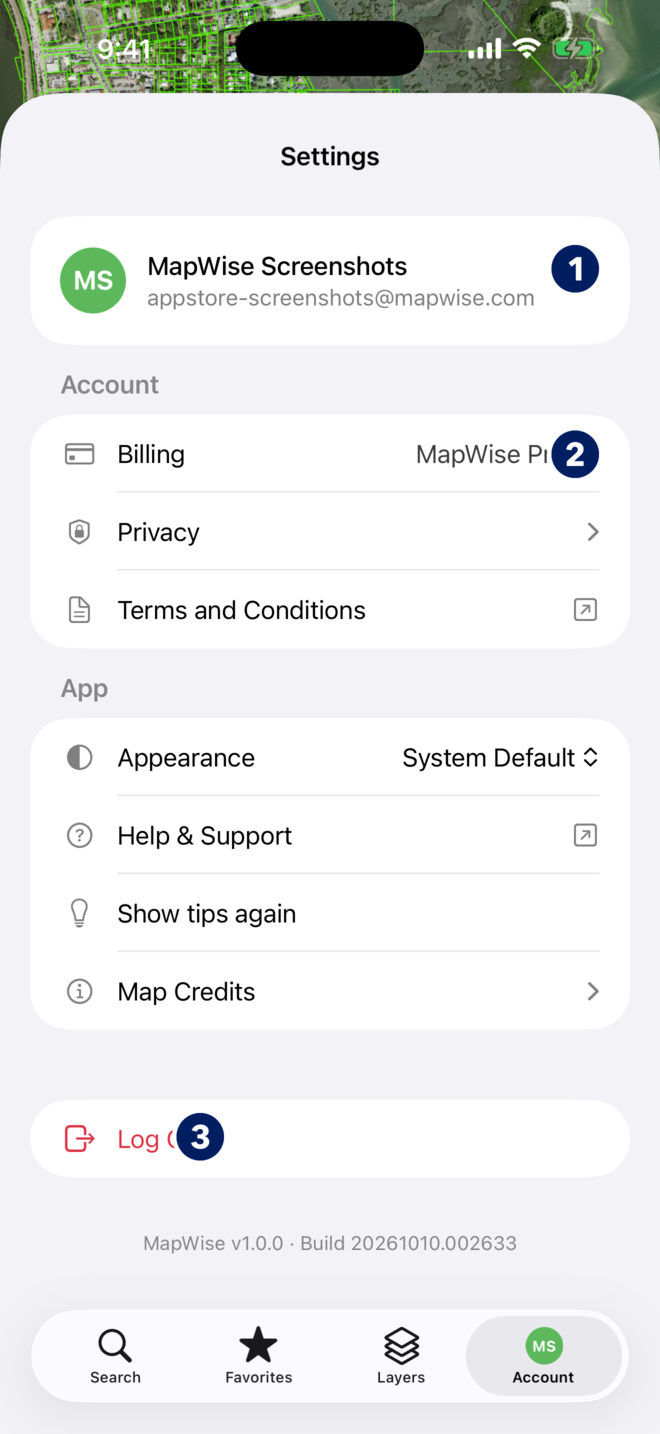
What is on the Account tab?
The tab is titled Settings. It is the same account you use on mapwise.com.
- The top row shows your name and email. Tap it to open your profile (callout 1).
- Billing shows your plan and renewal (callout 2). Privacy holds the crash-report switch. Terms and Conditions opens the agreement.
- Appearance follows your iPhone or forces light or dark. Help & Support opens the Help Center on mapwise.com in Safari. Show tips again replays the in-app hints. Map Credits lists data sources.
- Log Out signs you out on this phone only (callout 3).
You should now know where each setting lives.
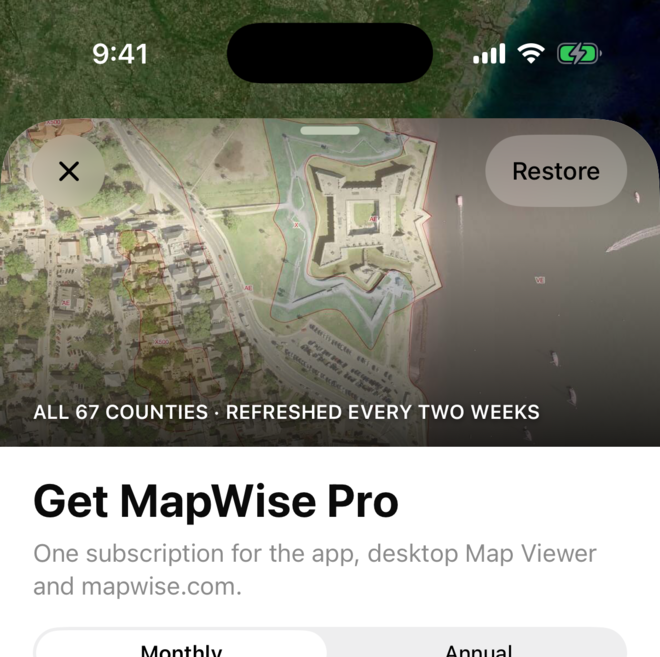
How do I get MapWise Pro in the app?
Pro unlocks owner names and addresses, sales history and prices, building details, and the Pro layers. One subscription covers the app, MapWise Explorer and the GIS Map Viewer on the web.
- Tap any locked field or layer, or tap Billing. The Get MapWise Pro sheet opens.
- Pick Monthly or Annual.
- Tap Upgrade to pay on mapwise.com in Safari and come straight back, or Upgrade with Apple to pay through the App Store with the card on your Apple account.
- Already subscribed on mapwise.com? Just sign in. Pro is on your account, so the app unlocks as soon as you do.
You should now see Pro fields without locks and Billing reading MapWise Pro, Active.
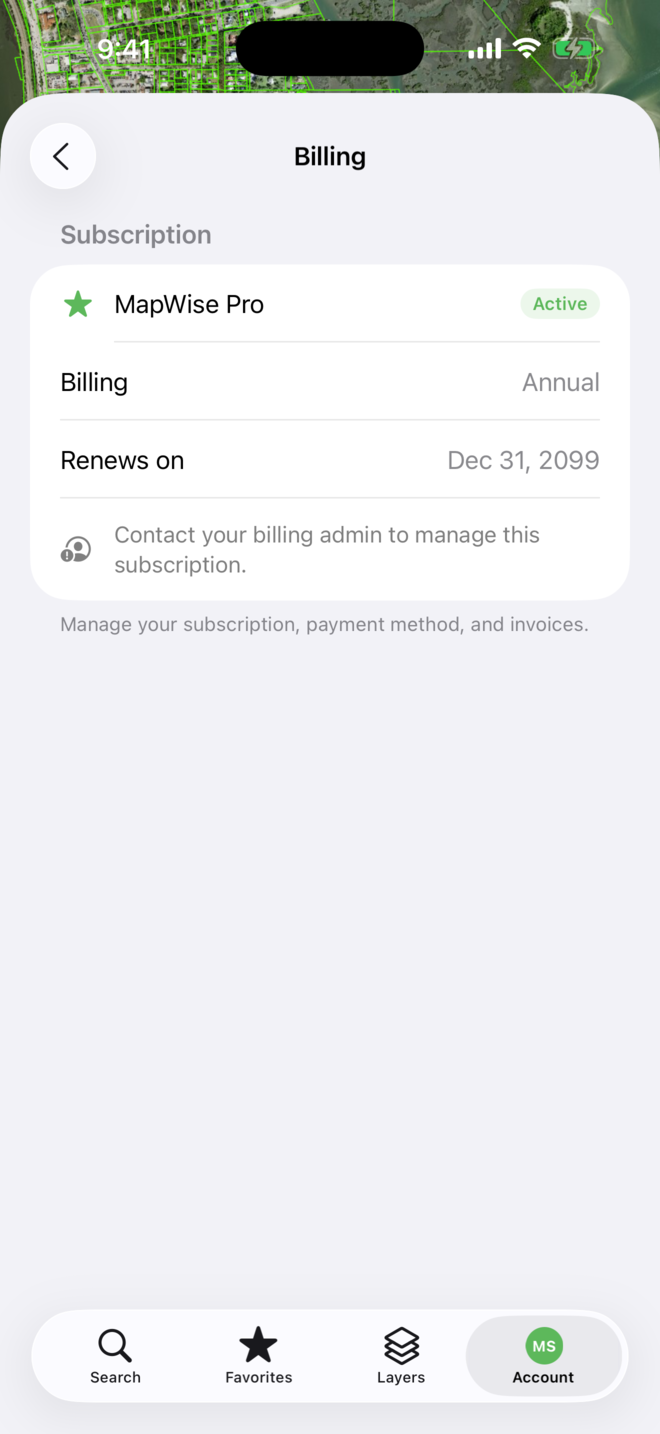
How do I manage, restore or cancel an App Store subscription?
- An App Store subscription is managed by Apple: open iPhone Settings, tap your name, then Subscriptions, then MapWise. Change the plan or cancel there. Receipts come from Apple.
- On a new iPhone, sign in with the same account and Pro comes back. If the app still shows locks, open Billing and tap Restore Purchases; the row shows whenever the app thinks nothing is active. The Get MapWise Pro sheet has Restore in its corner as well.
- A subscription bought on mapwise.com is managed on the website: My Account, then the Billing tab.
- A plan your company pays for shows Contact your billing admin to manage this subscription under Billing. Ask the person who set up your MapWise account.
You should now know where your subscription is managed. The Billing screen states the plan, interval and renewal date either way.
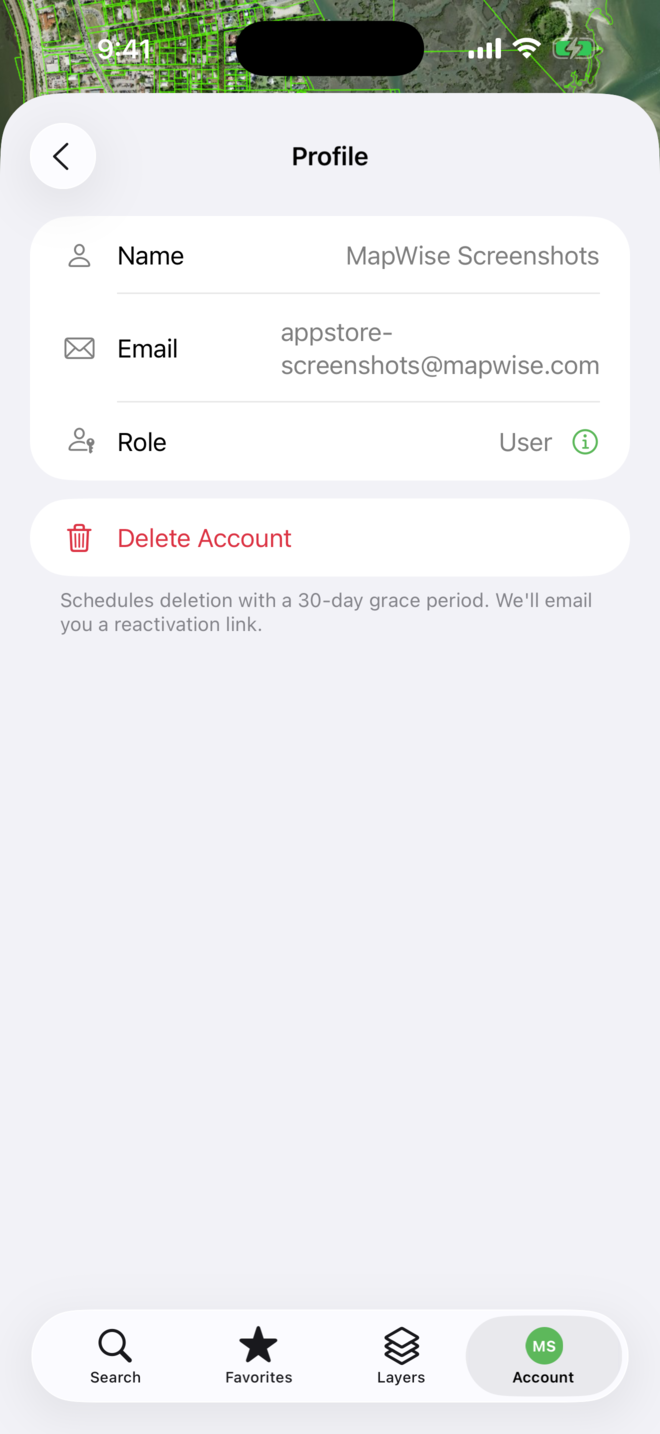
How do I delete my account?
- Tap the Account tab, then your name at the top to open Profile.
- Tap Delete Account and confirm.
- Deletion is scheduled with a 30-day grace period. We email you a reactivation link; open it within 30 days to keep the account and everything in it.
- An App Store subscription is not cancelled by deleting the account. Cancel it in iPhone Settings, Subscriptions, so Apple stops billing.
You should now see the deletion scheduled, and the reactivation email in your inbox.
Frequently Asked Questions
Do I need a separate subscription for the app?
No. One MapWise subscription covers the app and MapWise on the web, whether you bought it on mapwise.com or through the App Store.
Why does the app say my owner data is locked when I pay on mapwise.com?
Sign in with the same email you use on mapwise.com. If you signed in with Apple, Google or Microsoft on one and email on the other, the app may have made a second account. Sign out and sign in the way you did on the web.
I signed in with Apple and hid my email. Will I still get MapWise mail?
Yes. Apple forwards mail sent to the relay address to your real inbox, including the account-deletion reactivation link.
Troubleshooting
- I pay for Pro on mapwise.com but the app shows locks.
- Sign in with the same account you use on the web. If you used Apple, Google or Microsoft on one and email on the other, the app made a second account: sign out and sign in the way you did on mapwise.com.
- Restore does nothing.
- An App Store subscription belongs to the Apple account that bought it. Sign in to the App Store with that Apple account on this iPhone, then tap Restore Purchases again. If the row is missing, the app already sees an active plan on your account.
- Billing says to contact my billing admin.
- Your company pays for the plan. The person who set up your MapWise account manages it.
- I deleted my account by mistake.
- Open the reactivation link in the email we sent. It works for 30 days.