Connect an AI assistant to MapWise
Ask an AI assistant about any Florida parcel in plain language: who owns it, what it sold for, what else that owner holds. Assistants that support MCP sign-in connect with your MapWise account. Others use an API key. Either way, each lookup bills to your account at API rates.
Who can connect?
Anyone who can create API keys on the API tab of My Account can connect. If you don't see that tab, ask the person who manages your MapWise account.
How do I connect an AI assistant?
If your assistant supports MCP sign-in, the steps are the same in any app:
- Add the MapWise server URL:
https://www.mapwise.com/mcp - Sign in with your MapWise account.
- Confirm the account, then allow access.
For example, in Claude: these steps use Claude on the web or the desktop app. Once connected, MapWise also works in Claude on your phone. You need a Claude plan that allows custom connectors. Claude's guide to custom connectors lists the plans.
- In Claude, open Customize > Connectors.
- Choose Add custom connector.
- Name it MapWise, and enter the server URL.
- Leave the advanced settings empty. You don't need an API key: Claude signs in for you.
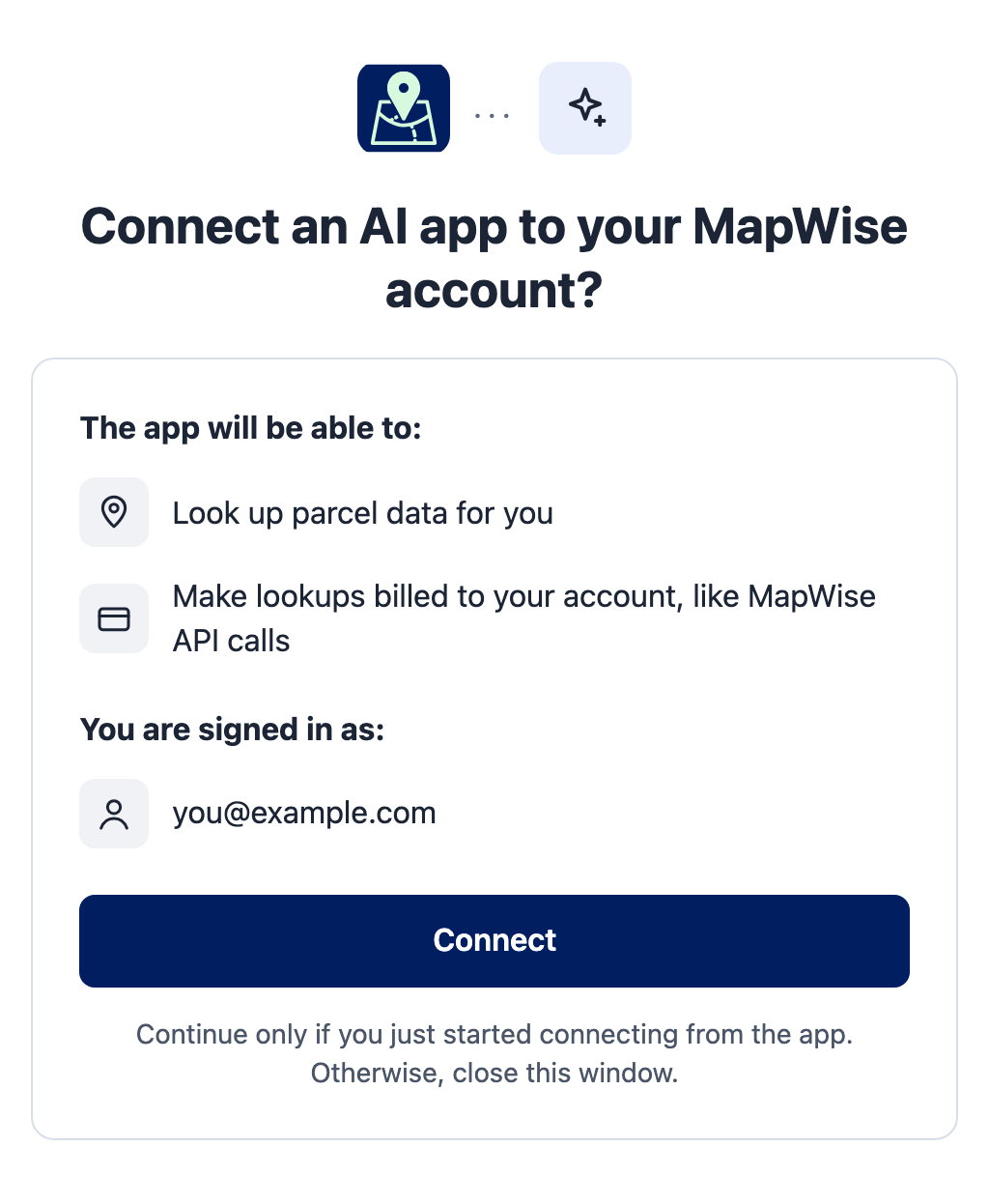
- Choose Connect next to MapWise. A MapWise sign-in page opens. Sign in as usual.
- MapWise asks you to confirm. Check the account name, then choose Connect.
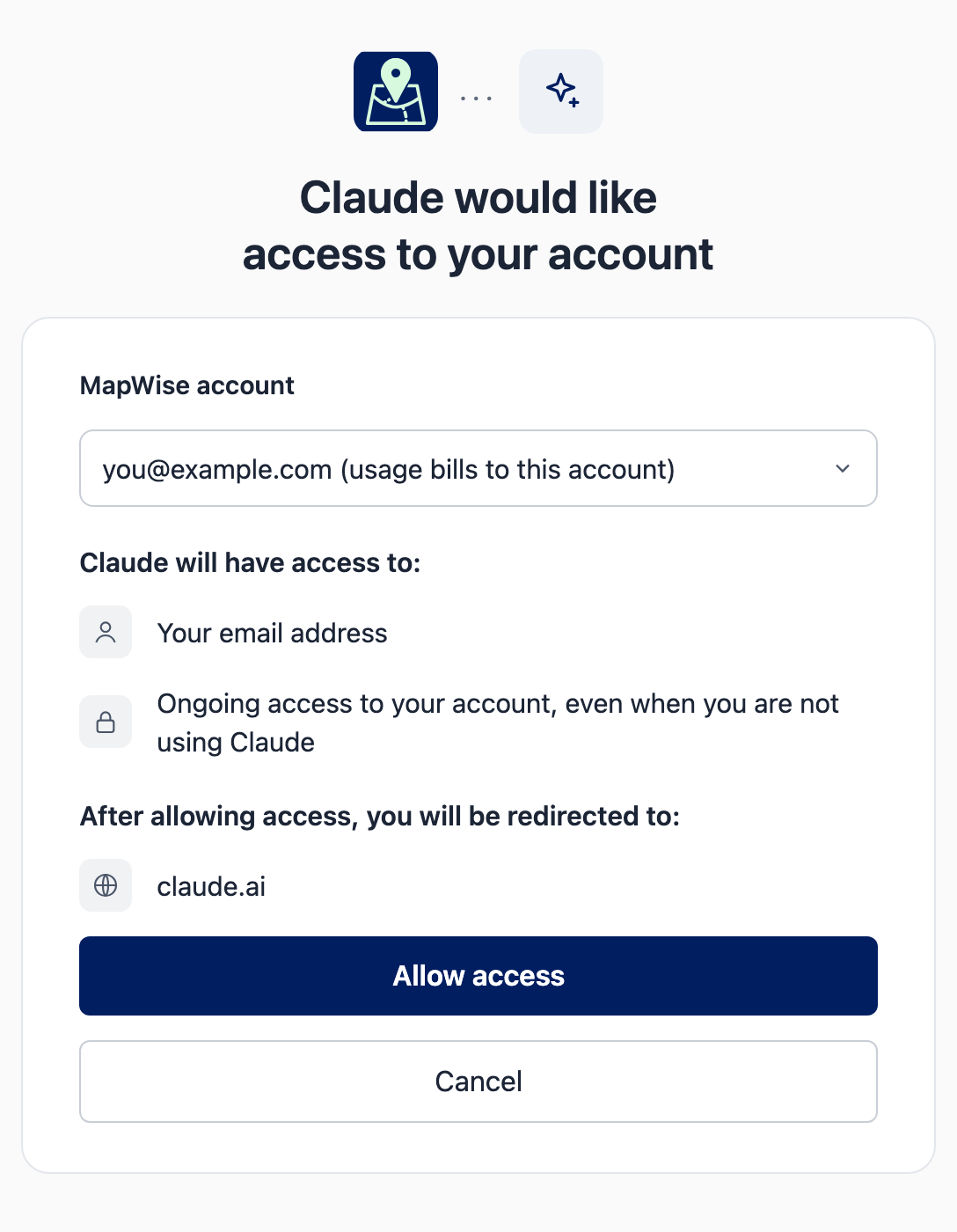
- On the next screen, check the MapWise account the usage bills to, then choose Allow access.
- Start a new chat and turn on MapWise from the tools menu.
What can I ask?
Ask the way you would ask a colleague. Name the county when you can: it keeps the search small.
- Who owns 2410 NW 43rd St in Gainesville, and when did it last sell?
- What else does that owner hold in Alachua County?
- Find vacant parcels over 20 acres in Marion County that sold in the last two years.
- Make a property report for this parcel.
Turn on your assistant's setting to approve each tool call. You then see each search before it runs and bills. In Claude, turn it on for the MapWise connector.
What does it cost?
Your assistant's lookups bill at the same rates as the MapWise API: each parcel record returned counts, and a PDF report has its own price. Asking your assistant what MapWise can do is free. See the API pricing table for current rates, and the API tab of My Account for what you have used.
How do I disconnect an app?
- Open the API tab of My Account.
- Find the app under Connected apps, for example Claude.
- Choose Disconnect. The app can no longer reach your account.

- Removing MapWise inside the app, such as Claude's connector settings, does not disconnect it at MapWise. Use Disconnect here.
- Resetting your MapWise password disconnects every app.
- A connection unused for 12 months stops working. To reconnect, add MapWise again in the app.
Can I use another AI app or Claude Code?
Yes. Apps that support MCP sign-in connect the same way: add the server URL and sign in. Apps that don't support it use an API key, and so can Claude Code if you prefer. The AI assistants setup guide has the settings.
Still need help?
Contact the MapWise team and we will help you find what you need.